

RayNmeaSimulator
Software
Inspect supported NMEA2000/NMEA0183 data or build a virtual vessel with instruments, generators and route following.
Safety
RayNmeaSimulator is intended for software development, bench testing, simulation, training, and controlled equipment evaluation.
Do not use RayNmeaSimulator as a source of navigation, collision-avoidance, vessel-control, engine-control, or other safety-critical information on an operating vessel.
Generated or simulated NMEA 2000, NMEA 0183, AIS, position, heading, speed, depth, engine, route, and other data may appear valid to connected equipment. A chartplotter, display, gateway, logging system, or other receiver may not be able to distinguish simulated data from actual vessel data.
When transmitting generated data:
- Use an isolated or otherwise controlled test network whenever practical.
- Verify the selected connection and connected equipment before enabling Sending.
- Do not connect simulated data to an operational vessel network while underway unless the entire test environment has been specifically isolated from navigation, steering, propulsion, alarm, and other safety-critical systems.
- Do not rely on RayNmeaSimulator, its Autopilot mode, simulated AIS, routes, or generated sensor values for real-world navigation or vessel operation.
- Loading a Layout, Template, route, or received data does not authorize external Sending. Transmission requires explicit user authorization.
- F12 / Stop is an application control, not an emergency-stop or safety system. Already queued or transmitted data cannot be recalled.
RayNmeaSimulator is provided as a Public Engineering Reference — AS-IS. Users are responsible for the configuration, isolation, wiring, network topology, connected equipment, and safe operation of their test environment.
A desktop workspace for marine data
Inspect supported vessel messages, build a virtual vessel, and exercise marine-electronics integrations on a configured test network. RayNmeaSimulator brings Viewer RX and Generate together in a Qt/C++ desktop application, with instruments, reusable workspaces and local route following.
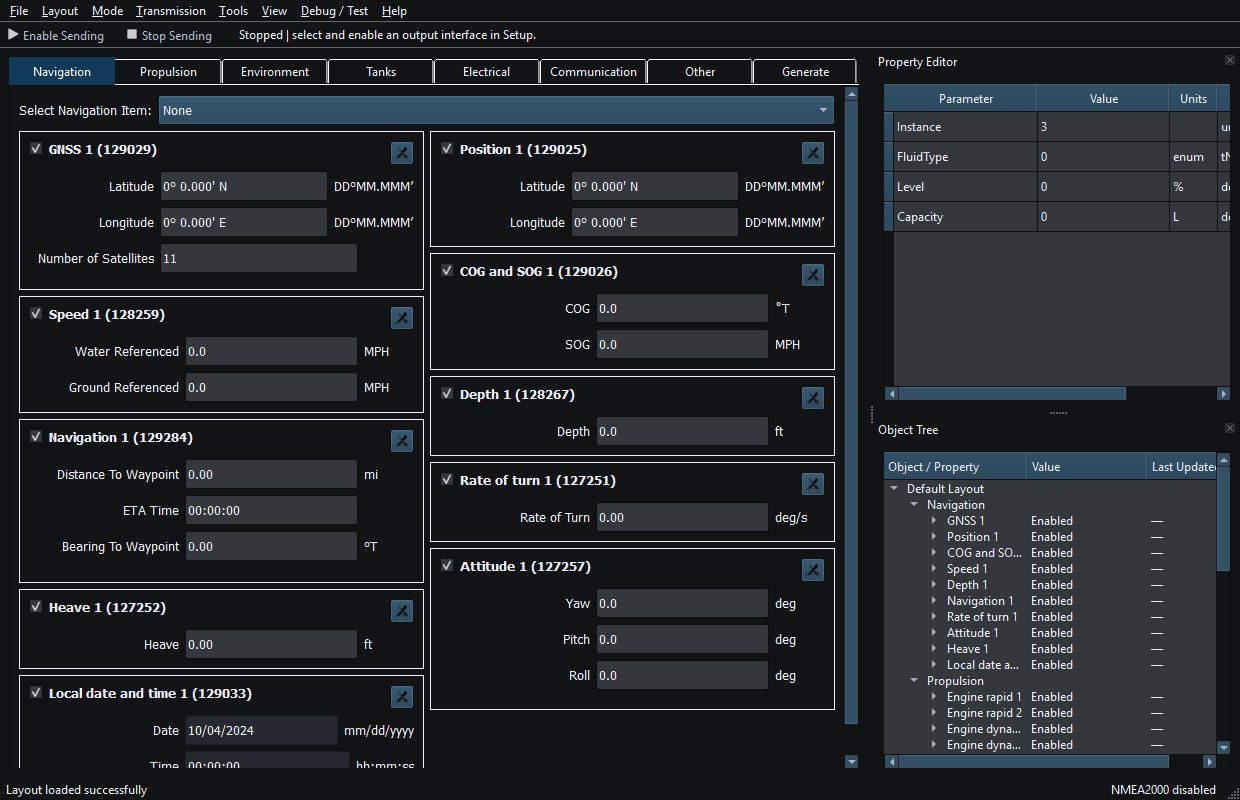
Two first-class operating modes
Viewer RX
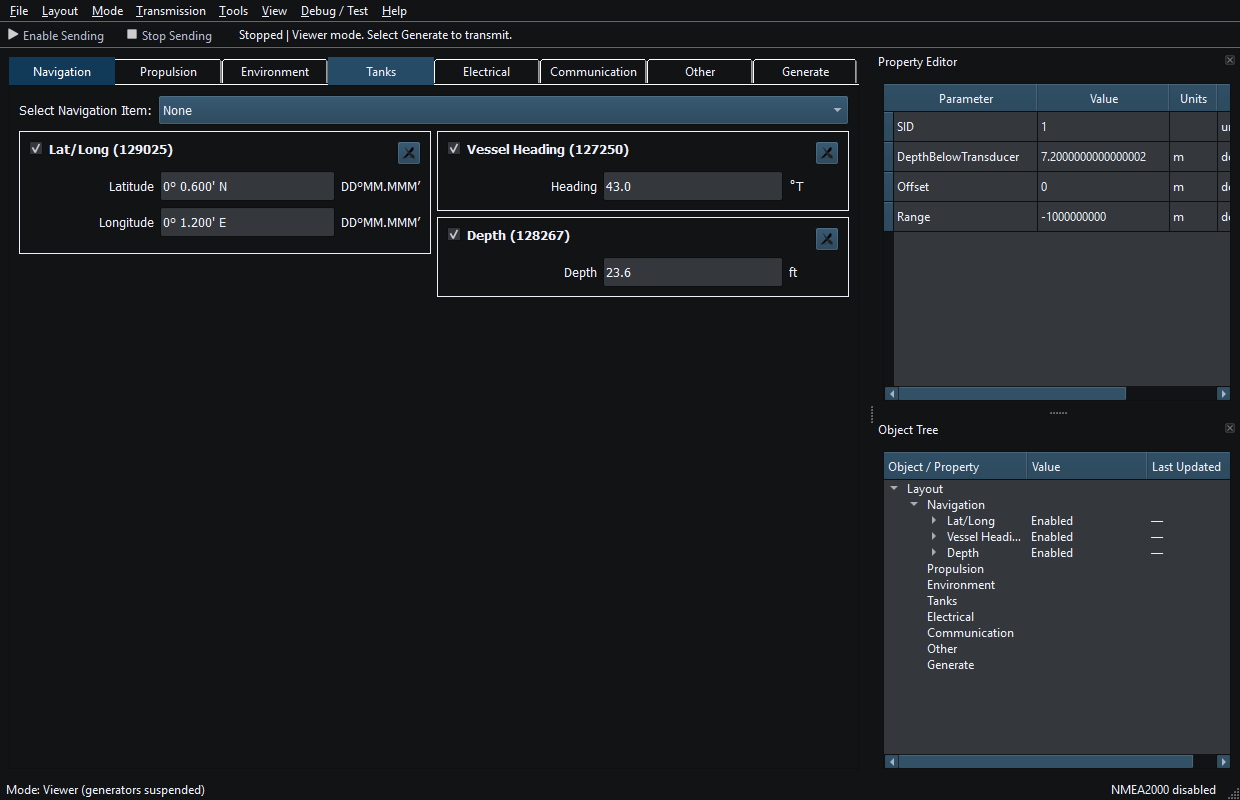
Inspect supported incoming NMEA2000 and NMEA0183 data. Matching supported instruments update from received messages; inspect values, units and source/instance information through the workspace, Property Editor, Object Tree and diagnostics where applicable. Receiving does not authorize ordinary instrument Sending, and not every message on a bus can be decoded.
Generate
Assemble a virtual vessel with configurable instruments and optional generators. Edit compatible values, use supported movement and routes, and deliberately transmit supported data through a configured connection after explicit Sending authorization.
Build a workspace you can reuse
- Instruments and generators: multiple instances for supported navigation, engines, transmissions, weather, tanks and electrical measurements; compatible generator bindings vary by instrument.
- Layouts: save and restore a complete workspace. The bundled Default Layout provides eight groups and 35 widgets.
- User Templates: reuse instrument configurations; duplicate bundled read-only Templates to customize them.
- Six bundled Templates: Default, Environment / Weather, Navigation / Autopilot, Single Engine, Synthetic AIS Demonstration and Twin Engine.
- Themes: choose a workspace appearance, including Darkeum.
Vessel Movement and routes
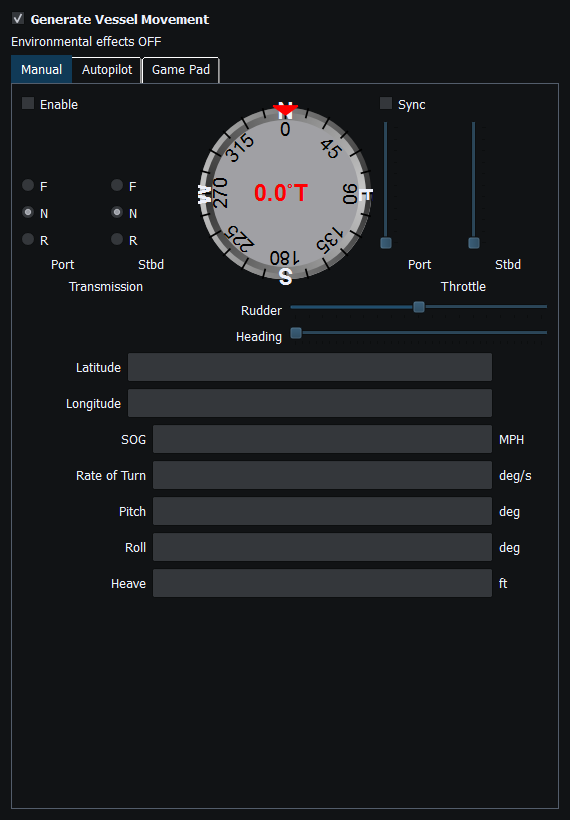
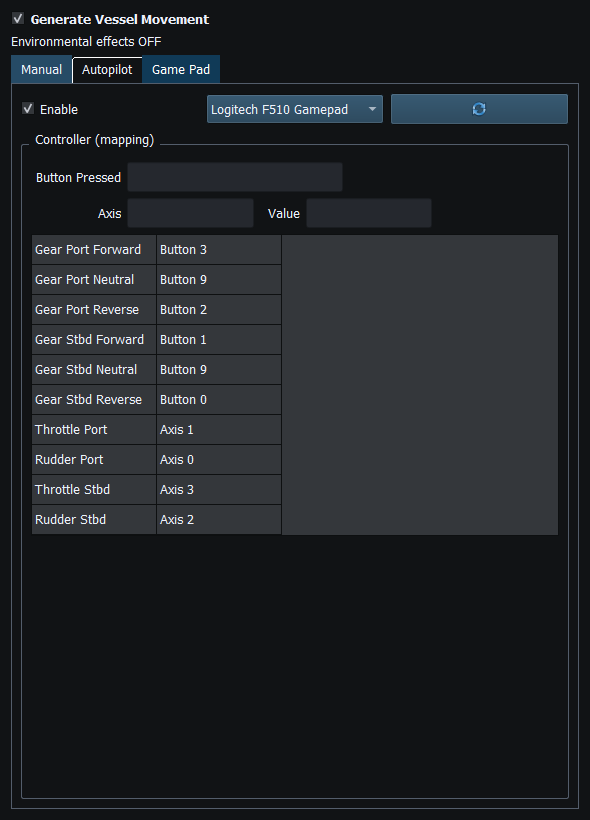
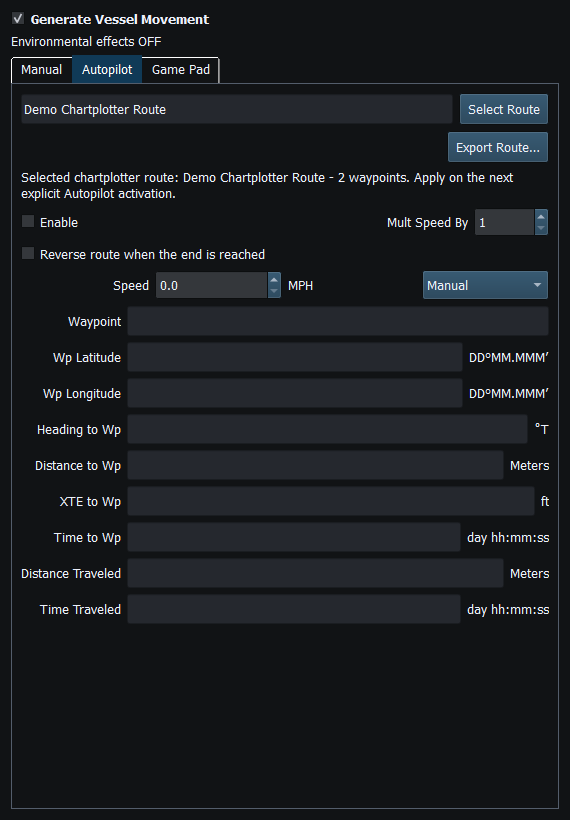
Manual provides local vessel controls. A compatible mapped Game Pad can drive the virtual vessel through those controls. Autopilot follows an ordered, validated route locally; these features do not command a physical helm or external autopilot.
Create and select routes, import/export supported GPX/KML content, and explicitly engage local route following. Bounded chartplotter route retrieval/snapshots require separate authorization and a qualified compatible RayNetworkBridge/Axiom setup. Selecting a route does not start movement or Sending.
Route interchange and vendor metadata have limits. Automatic OpenCPN route transfer is not provided. APB/RMB are supported for manual RX/TX, but automatic Vessel Movement binding to them is unavailable. Route workflows (opens in a new tab)
Protocol coverage
The guide documents 48 NMEA2000 PGNs and 18 NMEA0183 sentence formatters. Fields and directions vary; neither standard is implemented in full. Actual RX/TX availability also depends on mode and connection policy.
Supported AIS instruments simulate a bounded NMEA2000 Class B subset (129039, 129809 and 129810), including identity and position. They are not a physical AIS radio transmitter. Class A and NMEA0183 VDM/VDO are not implemented.
Supported PGNs (opens in a new tab) · Supported sentence formatters (opens in a new tab)
Connections and transports
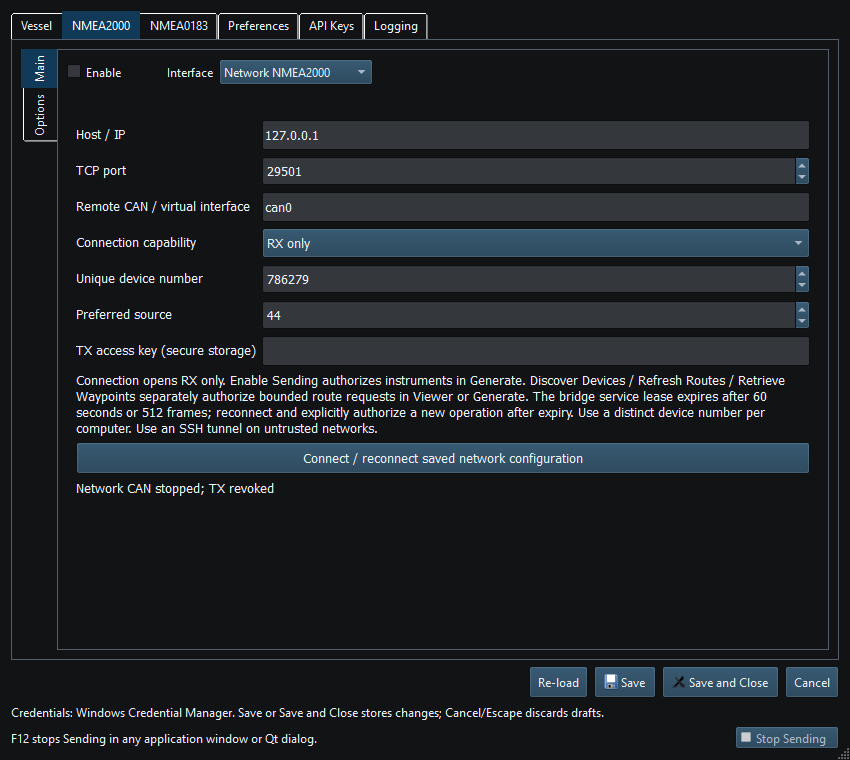
- Network NMEA2000 / RayNetworkBridge
- Supported RX/TX through a compatible bridge; bounded route services require separate authorization. Not a universal marine Ethernet interface.
- Linux SocketCAN
- Linux-specific CAN interfaces. Configure the hardware and operating-system interface separately.
- CANable SLCAN
- Supported serial CAN RX/TX with tested firmware/configurations; not every adapter clone is qualified.
- Waveshare USB-CAN-A
- Supported RX/TX for this adapter's serial protocol; correct firmware, wiring and configuration are required.
- Actisense NGT-1
- Receive supported. Release TX is disabled.
- NMEA0183 serial
- Supported serial RX/TX with appropriate electrical interface, baud rate and endpoints. No general TCP/UDP NMEA0183 server.
- Signal K
- Mapped publishing only; not raw CAN transport or a Viewer subscription.
Tested adapters/configurations do not establish universal compatibility. Physical network, wiring and adapter setup remain your responsibility; verify receiver interoperability for your actual setup.
Platforms and Downloads
Choose the appropriate v0.1.0 package through RF StateSide's Software/Downloads workflow.
Windows x64
Extract the official ZIP and run the enclosed Setup.exe.
Linux x86_64
Native package; the current corrected release records qualification on Ubuntu 24.04 and Linux Mint 22.3. Verify the ABI requirements below.
Linux ARM64
Native package for compatible newer ARM64 systems; distinct from the Debian 12 package.
Debian 12 ARM64
Separate compatibility package for Debian 12 ARM64 environments.
Packages include the Qt runtime; no Qt SDK is needed. Linux requires Python 3.11+, OpenSSL 3 and compatible desktop libraries. Native Linux: GLIBC 2.38, GLIBCXX 3.4.32, CXXABI 1.3.15. Debian 12 ARM64: GLIBC 2.35, GLIBCXX 3.4.30, CXXABI 1.3.13. Choose a compatible package; do not replace system glibc to force compatibility.
On Linux, extract into a new directory, enter RayNmeaSimulator and run ./install.sh as your normal user.
The corrected installer checks prerequisites and asks before installing missing runtime packages on supported Debian/Ubuntu/Mint systems.
Keep important user data backed up. macOS source-build support exists, but no supported macOS or Windows ARM64 v0.1.0 binary is supplied.
Sending is a deliberate action
Viewer RX does not authorize ordinary instrument Sending. Loading a Layout, Template or route does not authorize Sending either.
- Generator Enable / Dispatch control local generation/delivery and are distinct from external Sending.
- Instrument Enable and interval define the eligible transmission schedule.
- Global Enable Sending requires explicit authorization and a ready configured connection.
- F12 / Stop revokes external Sending and pending bounded requests; it does not undo frames already queued or stop local vessel movement.
Use an appropriate isolated/configured test network. Discovery and route requests have separate bounded authorization; Viewer RX is not a guarantee of electrical silence from protocol-management traffic.
Inspect, exercise and diagnose
Inspect supported incoming traffic, exercise display integrations with synthetic measurements, or follow a local route while evaluating a configured receiver. Diagnostics provide message/source snapshots and separately authorized bounded discovery.
Application logs help diagnose behavior. Detailed NMEA traffic recording is optional and off by default; it records logical messages rather than necessarily capturing every raw CAN frame. Observed traffic does not prove full decoding or receiver delivery.
Help → Check for Updates checks official stable release information on request. It does not download, install or restart the application. Corrected v0.1.0 uses the project's repository-hosted metadata and official GitHub release checks.
Public release · Maintenance
Version 0.1.0 is publicly released as Open Source, with a Maintenance lifecycle. Major development is largely complete; ongoing work can include fixes, compatibility updates, documentation and minor enhancements.
The current release contains corrected packages that retain version 0.1.0. Replacing an earlier 0.1.0 installation requires a manual download/install; a same-version correction is not offered as a newer semantic version. Review the release guidance and back up your user data before replacing an installation.
Downloads, User Guide and Source
Download RayNmeaSimulator opens RF StateSide's Software entry when available, otherwise the Downloads index. Choose a platform there. GitHub provides source, issues and developer release history.
The 52-topic User Guide is available online and bundled offline, with contextual F1, search and enlarged illustrations.
Original application software is GNU AGPL-3.0-or-later. Third-party components retain their own applicable licenses. The complete matching source kits, receipts, checksums and notices for corrected binaries are consolidated in the Corrected Source-and-Verification companion (opens in a new tab). GitHub's automatic source archives refer to the original tag and do not replace those matching kits.
Source and third-party notices documentation (opens in a new tab) · Developer release history and verification (opens in a new tab)
Voluntary support helps sustain continued development and maintenance. It does not unlock features or services.
Known Limitations
Public Engineering Reference — AS-IS. Provided without warranty; not certified navigation, vessel-control, collision-avoidance or safety equipment.
PGNs, sentence formatters, fields and directions are bounded. Actisense NGT-1 Release TX is disabled; Signal K provides mapped publishing only, with no raw CAN transport or Viewer subscription. OS/ABI package choice matters; no supported macOS or Windows ARM64 v0.1.0 binary is provided.
Physical network/adapter setup and receiver interoperability require setup-specific verification. Read the full Known Limitations (opens in a new tab)
Inside RayNmeaSimulator
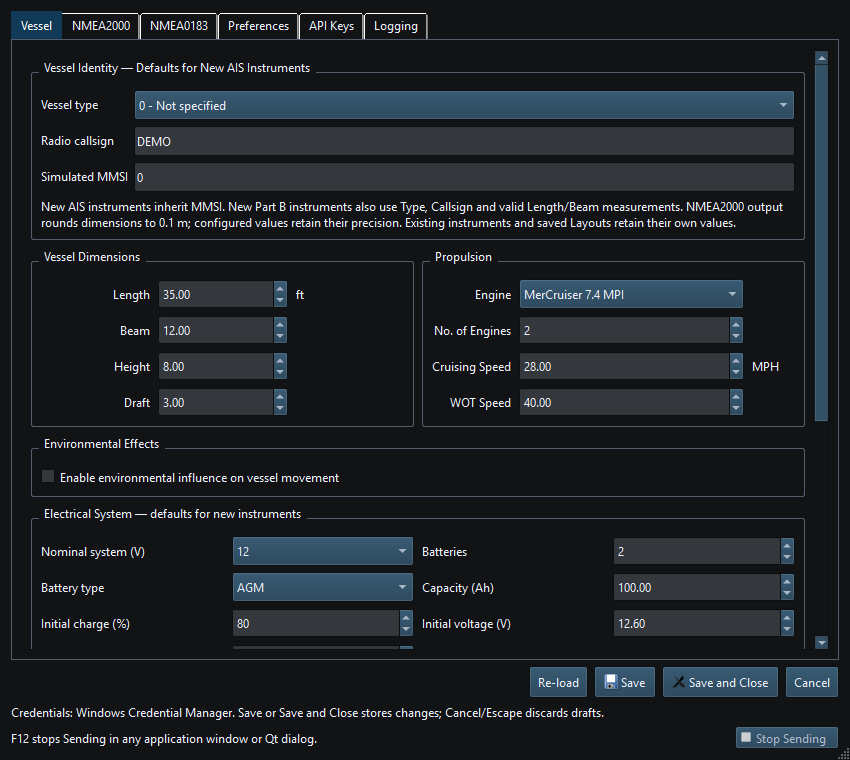
Authentic native Qt User Guide captures with illustrative settings and synthetic data, not live vessel reception. Visible Debug / Test controls are not Release functionality. Select an image to inspect it at full size.
Explore RayNmeaSimulator v0.1.0
Download the package for your platform, read the User Guide, inspect the source, or report a reproducible issue with your application version and setup. For general questions and collaboration, contact RF StateSide.
Voluntary support helps sustain continued development and maintenance. It does not unlock features or services.